
Best AI Tool for Game Making – What You Can Build Now
Learn about the best AI tool for game making and what you can build with them right now. Discover features, use cases, and how AI speeds up game creation.
Jabali Team
May 13, 2026
7 min read
Building a video game is tough, right? It takes endless hours of modeling, texturing, level design, and scripting just to get a basic demo running.
That monumental effort is why so many game developers—from solo indies to large studios—are turning to artificial intelligence for help.
An AI tool won’t build the entire game for you (at least not yet). But the right ones can handle the heavy, repetitive lifting that usually kills development timelines. If you’re looking to speed up your production pipeline, you need to understand what types of AI tools exist and what they actually excel at creating.
Let’s break down the current landscape of game-making AI—and where Jabali Studio sits as an integrated, end-to-end solution.
Categorizing the Current Generation of AI Tools
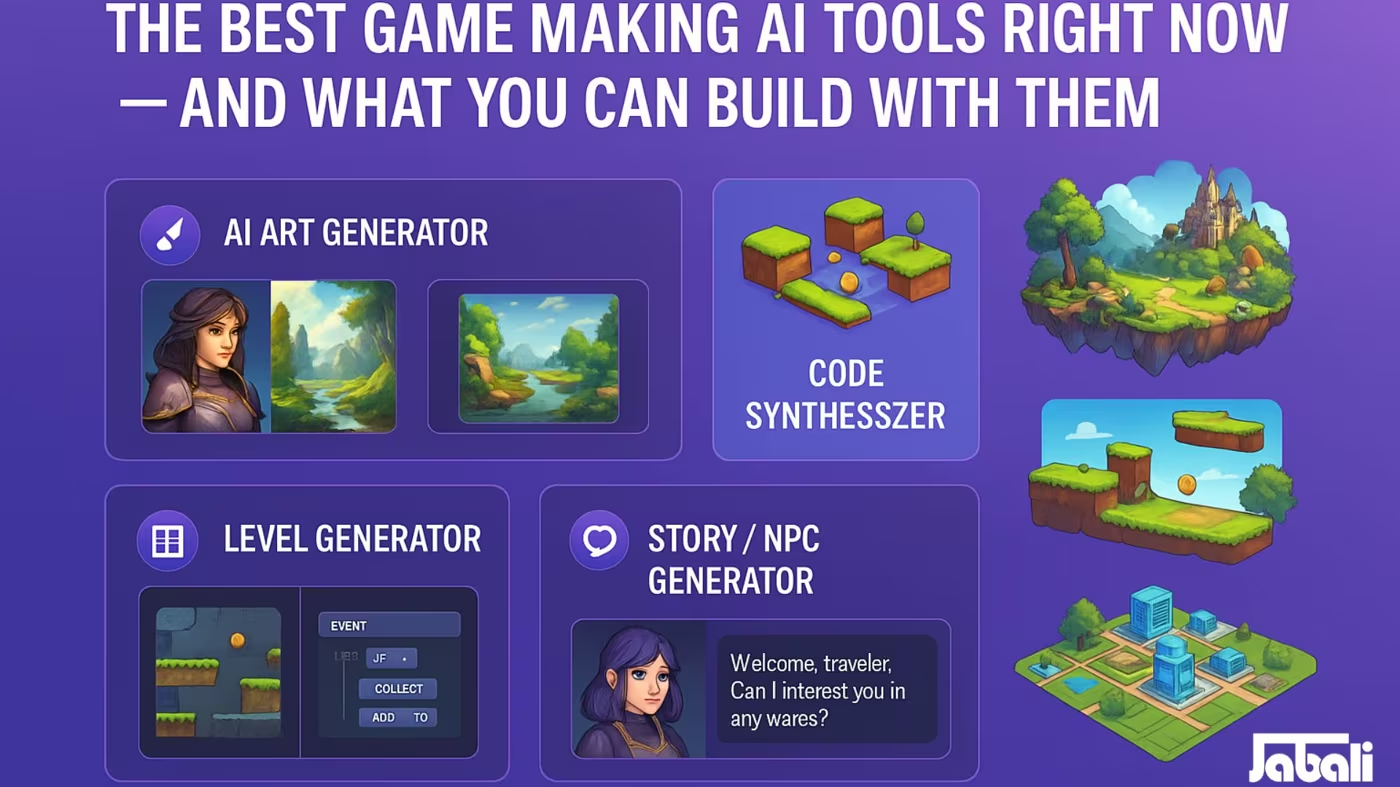
“AI tool” is incredibly broad in game development. In practice, tools tend to fall into a few big categories based on the problems they solve.
You might reach for one AI tool for concept art, a totally different one for procedural levels, and yet another for scripting game logic. Or you might use a unified environment like Jabali that stitches all of that together.
Broadly, you’ll see:
- AI for art and textures
- AI for level/world generation
- AI for scripting and logic
- Integrated AI game creators (like Jabali Studio)
1. Speeding Up the Visuals: AI for Art and Textures
This is the most visible category today. These tools are trained on vast image or 3D datasets and help you answer the question: “What does this game look like?”
They excel at:
Concept Art
Quickly generating dozens of ideas for characters, environments, props, and UI. Great for mood-boards and style exploration.
Asset Generation (2D & 3D)
Creating sprites, icons, or even low-poly 3D meshes from text descriptions.
Texture & Material Work
Taking a plain mesh and applying high-quality or stylized textures, saving time in your materials pipeline.
If you’re a solo developer trying to flesh out your game’s look before you commit to complex modeling or rigging, this is your first stop.
How Jabali helps here
In Jabali Studio, you can ask Bali (Jabali’s AI co-creator) to generate and refine art directly in your project, rather than bouncing between external tools and imports.
💬 Prompt examples in Jabali:
“Bali, generate three main character concepts for a 2D cozy farming game: one human, one robot, and one animal. Give each a short description and a matching sprite.”
“Create a set of five environment tiles for a neon cyberpunk city: road, sidewalk, building front, rooftop, and alley floor, all in the same pixel-art style.”
“Apply a worn, hand-painted wooden texture to this 3D crate mesh so it looks like it belongs on an old pirate ship.”
You get testable visuals inside the engine, not just static images on the side.
2. Building Worlds: Procedural & AI-Assisted Level Design
These tools focus on structure and scale more than on any individual asset. They help you answer: “Where does the player go?”
Imagine needing:
- A massive, branching dungeon
- An endless, varied forest
- A city with districts, alleys, and meaningful choke points
Doing all that by hand is exhausting.
Procedural and AI-assisted level design tools generate large, playable areas based on constraints you provide—enemy density, difficulty curve, architectural style, traversal options, and so on. They don’t just place random blocks; they aim to create cohesive, navigable environments that you can test immediately.
How Jabali helps here
Jabali Studio blends procedural generation and AI reasoning so you can describe what you need in natural language and let Bali assemble the first draft of a level.
💬 Prompt examples:
“Bali, generate a small 2D dungeon level with one main path and two optional side rooms. Place three enemy types, one key, and a locked door to the boss room.”
“Create a mobile-friendly endless runner track with gradually increasing difficulty over 60 seconds, then loop the pattern.”
“Design a forest biome map with a central clearing for a boss fight and narrow, twisty paths leading in from three different directions.”
You can regenerate, tweak constraints, or edit the layout directly in the editor, turning world-building into fast iteration instead of a multi-week slog.
3. Streamlining Logic: AI for Scripting and Code
This is the least flashy—but arguably the most powerful—category.
Writing repetitive boilerplate code or untangling complex logic graphs is a huge time sink. AI tools here act like hyper-intelligent programming assistants, helping you answer: “How does this game behave?”
They can:
- Generate Boilerplate
- Refine Existing Code
- Co-Design Systems
How Jabali helps here
Inside Jabali Studio, you can treat Bali like a gameplay engineer on call:
💬 Prompt examples:
“Bali, create the basic logic for a platformer character: move left/right, jump with coyote time, and variable jump height based on how long the button is held.”
“Analyze this existing enemy AI script and explain how it works in plain language. Then make it slightly more aggressive at low player health.”
“Set up a simple inventory system where the player can pick up items, equip a weapon, and see their stats in a UI panel.”
Bali can generate or modify code and visual scripts, then explain the changes so you actually learn from them instead of fighting the engine.
4. The Comprehensive Approach: Jabali Studio
Many developers find themselves juggling multiple AI tools just to get through one pipeline:
- One for art
- One for textures
- One for level generation
- One for scripting assistance
That gets messy fast—especially when you’re constantly importing/exporting, converting formats, or rewriting glue code.
This is exactly why integrated solutions like Jabali Studio are becoming essential.
Jabali focuses on providing a single, coherent workflow that integrates:
- Asset generation (characters, props, UI, backgrounds)
- Environment and level design (layouts, biomes, dungeons)
- Logic and scripting (movement, abilities, AI, systems)
- Playtesting and iteration, all under one roof
💬 Example “all-in-one” prompt in Jabali:
“Bali, help me build a small 2D action game prototype:
– Side-scrolling, 3 levels
– One playable character with melee and ranged attacks
– Three enemy types with different patterns
– A simple main menu and a game over screen.
Generate the initial project structure, basic art, and core logic so I can start playtesting quickly.”
Picking the Right AI Tool for Your Project
So, which path should you choose?
It always comes down to your primary bottleneck and your engine/workflow.
Ask yourself:
- What is my biggest time sink right now?
- Do I need 2D sprites, 3D assets, or both?
- How much control do I need?
- Is the tool built for (or friendly with) my engine?
With Jabali Studio, that last question is baked into the design: the AI is working inside the creation environment, not off to the side, so your outputs are immediately playable and editable.
The Bottom Line
AI is here to stay, and it’s already transforming how we make games.
The best move you can make today isn’t chasing every shiny new model—it’s identifying where you’re stuck, then picking tools that genuinely make that part of your process easier.
- Use art and texture AI when visuals are your bottleneck.
- Use world/level AI when layout and scale are overwhelming.
- Use scripting AI when systems and bugs are slowing you down.
- Use an integrated platform like Jabali Studio when you want AI support across the entire pipeline, from the first prompt to the final playtest.
And remember: the goal isn’t for AI to “replace” your creativity. It’s to amplify it.
💬 Starter prompt:
“Bali, I’m a solo developer with limited time. Given that my biggest weakness is [art / level design / coding], propose a small game idea and create the first playable prototype that minimizes that weakness and lets me focus on my strengths.”
Let the AI handle the grind work.
You focus on the part only you can do: building the game no one else would think to make.