
collect-a-mon
0
0
collect-a-mon
Adventure RPG
About this Game
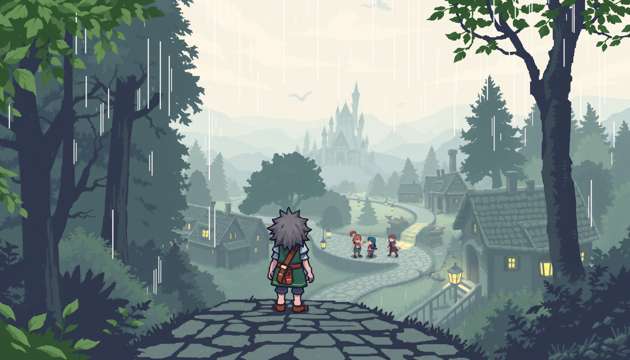
1. World and Map Data 1.1. Tile Engine Tile Size: 8x8 pixels, 2 bits per pixel (4 shades, 1 reserved for transparency). Tileset: Each map references a tileset (array of 256 possible tiles). Metatile System: 2x2 (16x16) metatiles for map design, each referencing 4 tile indices and collision type. Tile Attributes: Collision: 0 = walkable, 1 = solid, 2 = ledge (one-way), 3 = surfable, 4 = cuttable, 5 = climbable, 6 = event, 7 = warp, 8 = hidden. Event Pointer: 16-bit offset to event script, or NULL. Animation Index: For animated tiles, points to animation sequence. Map Grid: 128x128 tiles per map max, stored as array of metatile indices. Map Header: Contains map ID, dimensions, tileset, music, encounter table, NPC table, warp table, event table, weather, time-of-day palette. 1.2. Warp System Warp Table: Each entry: source (x, y), dest map ID, dest (x, y), optional script pointer. Warp Types: Door, stairs, ladder, cave exit, teleport pad, edge warp. Warp Activation: Step-on, interact, event trigger. 1.3. Environmental Effects Weather Table: None, rain, snow, sandstorm, fog. Each weather type has: Palette shift Overlay sprite (e.g., rain drops) Effect on encounter rates Effect on battle system (e.g., rain boosts water moves) Time-of-Day: Palette cycling for day/night/dusk/dawn. NPCs, encounters, events may be time-dependent. 2. Characters, NPCs, and AI 2.1. Player Character Sprite: 16x16, composed of 4 8x8 tiles, 4 directions (up, down, left, right), 4 frames per direction (idle, walk1, walk2, special). State: Idle, walking, running, biking, surfing, fishing, climbing, menu, event, cutscene, scripted move. Input: D-pad (move), A (interact/confirm), B (cancel/run), Start (main menu), Select (contextual, e.g., register key item). Animation: Frame timer, cycling through walk frames at fixed intervals. 2.2. NPC Table NPC Struct: Sprite pointer (x, y) position Facing direction Movement type: 0 = static, 1 = random walk, 2 = patrol (waypoints), 3 = reactive (approach/flee), 4 = scripted, 5 = time-based, 6 = quest-based. AI State: Idle, moving, interacting, waiting, conditional. Interaction pointer: Offset to dialogue/event script. Activation: Always, flag-based, time-of-day, item-based, quest-based. Unique ID: For event/quest tracking. NPC Limit: 16 per map loaded into RAM. 2.3. NPC AI Logic Random Walk: Every N frames, pick random direction; if walkable, move; else, idle. Patrol: Follow waypoint list; on arrival, pause for N frames, then next. Reactive: If player within radius R and line-of-sight, face player; if “approach” type, move toward player if path clear; if “flee,” move away. Scripted: Follows event script; can move, animate, change facing, trigger dialogue, set flags. Conditional Dialogue: Dialogue tree indexed by: Quest flag state Item possession Time-of-day Story progression Random chance (for flavor) Shopkeeper: Opens shop menu, disables selling of key items, displays “not enough money” if insufficient funds. Healer: Triggers healing animation, restores all party HP/PP/status, plays sound, displays confirmation. Gatekeeper: Checks for badge/item/flag; if true, runs open path script; else, blocks and hints. Quest Giver: On interact, checks quest flag; if not started, initiates quest, sets flag, gives item; if in progress, gives reminder; if complete, gives reward, sets completion flag. 3. Quest, Event, and Flag Systems 3.1. Quest Table Quest Struct: Quest ID State: 0 = not started, 1 = in progress, 2 = complete, 3+ = multi-step Prerequisite flags Associated NPCs/objects Reward: item, currency, flag, access Fail condition: optional Quest Limit: 64 per game. 3.2. Event Scripting Language Opcode-based bytecode, supports: Display dialogue Set/check flags Give/take item Move/animate NPC Scene transition Battle initiation Conditional branch (if/else) Loops and waits Play sound/music Trigger cutscene Trigger Types: Step-on, interact, scene entry, battle win/loss, item use, time-of-day. 3.3. Flag System Global Flags: 256 bits, for story/quest progress, item acquisition, boss defeat. Local Flags: 256 bits per map, for chests, boulders, NPC state. Bitmasking: Efficient storage, checked/set/cleared by scripts. 4. Items, Key Items, and Inventory 4.1. Item Table Fields: ID Name, description Type: healing, battle, key, held, TM/HM, quest, berry, evolution Effect pointer Price (buy/sell) Stack limit Flags: usable in field, usable in battle, cannot discard, cannot sell Item Limit: 256 items. 4.2. Key Items Inventory: Separate from general bag, cannot be discarded or sold. Event Triggers: Scripts check for possession to unlock dialogue, warps, or events. Single-use: Consumed on use (e.g., one-time keys); persistent (e.g., badge, bicycle). Registering: Some key items can be registered to Select for quick use. 4.3. Inventory System Bag: Pockets: healing, battle, key, TMs/HMs, berries, evolution, mail. Slot limit: 20 per pocket; excess stored in PC. Sorting: Manual or auto-sort by type/name/acquisition. PC Storage: Unlimited, accessed at healing centers. Item Use: Context-checked; field-only, battle-only, or both. 5. Menus and User Interface 5.1. Main Menu Party: List with HP, status, level, held item. Submenus: summary, switch, use, equip. Bag: By pocket, item list, use/give/toss/move/info. Key Items: Use/info. Map: Shows current map, explored areas, player position, fast travel if unlocked. Save: Confirmation prompt, writes to SRAM, checksum. Options: Text speed, sound mode, battle animation toggle, button config. 5.2. Battle Menu Actions: Fight, Bag, Switch, Run. Fight: List of moves, PP/type/power/accuracy, select to use. Bag: Only battle-usable items shown. Switch: List of party, HP/status, prevents switching to fainted/ineligible. Run: Escape chance = (player speed × 32 / enemy speed) + random factor. 5.3. Shop Menu Buy: List, price, description, owned, confirm. Sell: List, price, disables key items, confirm. Exit: Returns to overworld. 5.4. Dialogue Text box: 3 lines, auto-scroll/manual. Variable insertion (player name, item). Branching: Choices, if/else, multi-step. Event prompts: Yes/No, item select, number input. 6. Graphics and Sprite Engine 6.1. Sprite Data Hardware: 40 sprites, 8x8 each, 10 per scanline. Metasprites: Up to 16x16 for characters, larger for battle sprites (composed). Palette: 4 shades, 1 transparent. Animation: Frame index, timer, sequence for walk/idle/attack/faint/status. 6.2. Overworld vs. Battle Overworld: 16x16 for player/NPCs, 8x8 for objects. 4 directions, 4 frames. Battle: Up to 56x56, multiple frames for idle/attack/damage/faint/status. Environmental: Animated tiles for water, grass, doors, weather. 7. Movement, Collision, and Interaction 7.1. Movement Grid-based: 1 tile per step, smooth animation. Speed: Walking, running (shoes), biking, surfing, climbing. Scripted: Cutscenes, events override control. 7.2. Collision Collision map: Bitmask per tile. Dynamic: NPCs/objects update collision in real time. 7.3. Interaction Facing check: Must be facing and adjacent. Priority: NPC > object > tile event. Contextual: Some objects (signs, doors) have unique scripts. 8. Battle System 8.1. Turn Order Speed stat determines order; ties random. Action queue: Player/enemy, resolved in order. 8.2. Move Execution Move data: power, accuracy, type, effect pointer, PP. Effect scripts: Damage, status, stat change, multi-hit, recoil, drain, etc. Status: Persistent (poison, burn, paralysis, etc.), volatile (confuse, flinch). AI: Move selection by effectiveness, HP, status, random; advanced AI may switch, use items, predict player. 8.3. Outcome Victory: Exp, currency, item drop, flag set. Defeat: Return to last center, currency penalty, story flag. 9. Buildings, Interiors, and Environmental Systems 9.1. Building Types Homes: NPCs, flavor, hidden items. Shops: Item buy/sell, unique sprites. Healing Centers: Restore, PC, nurse/doctor. Gyms/Arenas: Puzzle, trainers, boss, badge. Labs: Story, item/ability. Secret Bases: Custom, hidden. 9.2. Interior Layouts Tilesets: Unique per building. Objects: PCs, bookshelves, beds, TVs, trash cans. NPCs: Placed for flow. 10. Event, Scripting, and Flags 10.1. Event Triggers Step-on, interact, scene entry, story, time. Scripted: Dialogue, movement, battle, item, cutscene. 10.2. Flag System Global: Story, quest, item, boss. Local: Map-specific (chests, boulders, NPCs). Bitmask: Efficient. 11. Randomization and Procedural 11.1. Random Encounters Table per map, weighted. Step counter, random check. 11.2. Procedural Mazes Algorithmic, seeded for repeatability. 12. Saving, Loading, and Persistence Save data: Player, party, items, flags, map, quests, money, time. Checksum. Save points: Anywhere or at centers. 13. Debugging/Development Map editor, script editor, flag viewer, encounter editor, sprite viewer. 14. Major Character Types Table Type Sprite AI/Behavior Dialogue Menu/Interaction Event Role Player 16x16 FSM Variable All Main Rival 16x16 Scripted Dynamic Battle Story Villager 8/16x16 Idle/Patrol Static Talk Flavor Shopkeeper 16x16 Static Shop Buy/Sell Economy Healer 16x16 Static Heal Heal Recovery Quest Giver 16x16 FSM Branch Quest Quest Gatekeeper 16x16 FSM Check Block/Allow Progress Trainer 16x16 Patrol Battle Battle Challenge Story NPC 16x16 Scripted Dynamic Event Story Wanderer 16x16 Random Random Talk/Give Secret Hidden NPC 16x16 Conditional Secret Hidden Rare
Screenshots
How to Play the Game
Embark on a narrative-driven journey.
Use keyboard/mouse to move, interact, and complete quests.
Story choices affect outcomes and relationships.
How to Build a Similar Game
Write a prompt introducing world and mission.
Example: 'A teen botanist seeks a mythical plant to save their village.'
Select 'Adventure RPG'.
Upload lore, quest arcs, NPC personalities.
Customize inventory, environments, characters.