
Lodu
0
0
Lodu
Instant game
About this Game
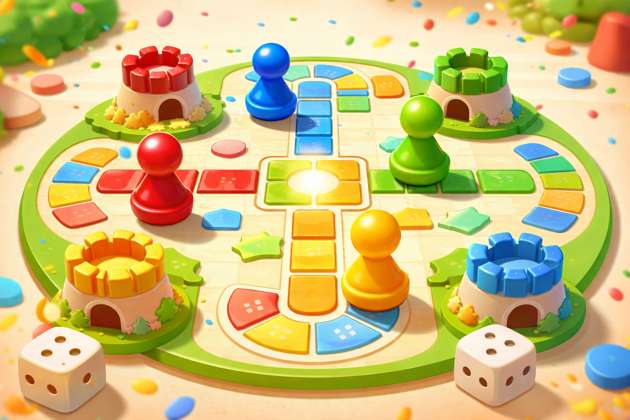
Roll into a vibrant world of luck, strategy, and surprising twists as every move can change the game in an instant. Challenge friends or take on fresh rivals in a fast, exciting race where smart choices and bold risks lead to victory. tapping game idle tycoon puzzle game merge game trivia game hypercasual challenge game The reason is simple: your first profitable game should be easy to build, easy to test, and easy to monetize. Ads work best when the game has short sessions and repeat play. In-app purchases work best when players want speed, power-ups, skins, hints, coins, or ad-free mode. Google Play Billing is meant for selling digital products and subscriptions, and Apple In-App Purchase is used for extra content, premium features, and digital goods inside the app. Practice step Write down 10 game ideas, then reject every idea that needs: multiplayer live chat real-time PvP 3D open world 50+ screens custom backend before launch Keep only ideas that can be built as an MVP in 2–4 weeks. 2) Use the “1-line game formula” Before opening Replit, define your game in one line: “This is a [type of player] game where the user [main action] to get [reward], while avoiding [loss/friction].” Examples: “This is a casual tapping game where players mine gems to unlock stronger drills and faster profit.” “This is an endless runner where players dodge obstacles, collect coins, and unlock skins.” “This is a puzzle merge game where players combine items to clear boards and earn boosters.” If you cannot explain the game in one line, the idea is still weak. Practice step For each idea, define: player goal fail condition reward loop what makes users come back tomorrow 3) Validate the idea before coding Most people waste time building first and thinking later. Validate using this quick framework: A. Search competitors Check: Play Store App Store YouTube Shorts TikTok/Instagram Reels See which simple games are already getting installs, views, or engagement. B. Ask these 5 questions Is the game understandable in 5 seconds? Can the first session be fun in under 60 seconds? Is there a reason to replay? Can ads fit naturally without ruining the experience? Is there something a player might buy? C. Test the concept with your audience Since you already have an audience, use that advantage: story poll reel teaser WhatsApp group poll comment CTA Ask: “Would you play this?” “Which game is more addictive?” “Would you prefer skins, levels, or rewards?” Practice step Make 3 short concept posts before development: idea 1 demo idea 2 visual mockup idea 3 poll Pick the one with the highest saves, comments, and DM interest. 4) Decide the tech stack For a beginner-friendly Replit workflow, the practical stack is: Replit for coding, planning, iterating, testing logic, AI assistance, and collaboration React Native + Expo for mobile app development A lightweight game layer in React Native for a casual 2D game Optional backend later for leaderboard, rewards, analytics events, remote config, etc. Replit officially supports building native mobile apps with Expo and React Native, and Replit Agent can help generate and refine app code from prompts. Expo’s cloud tooling supports app binaries and store submission through EAS. Important truth If someone wants a very advanced physics-heavy game, dedicated engines like Unity or Godot may be stronger. But for a beginner trying to launch a simple monetizable mobile game fast, Replit + Expo is a very realistic path. Practice step Choose one: endless runner clicker/idle game puzzle/quiz simple reflex game Do not move ahead until this is fixed. 5) Set up the project in Replit Create a new mobile app project using Replit’s mobile app workflow with Expo/React Native. Replit has official tutorials for building mobile apps with Expo, and Expo recommends starting with modern app creation workflows and then using EAS for builds. Your project structure should stay simple: app/ or screens components/ assets/ game/ utils/ store/ for state services/ for ads, purchases, analytics constants/ Replit prompt you can use Paste something like this into Replit Agent: Build a simple mobile idle mining game using React Native and Expo. Features: home screen gameplay screen coin collection upgrade system offline earnings logic rewarded ad hook placeholder in-app purchase hook placeholder daily reward clean modular folder structure game state stored locally responsive design for Android and iPhone Then improve feature by feature instead of asking Replit to build everything in one shot. Practice step Ask Replit Agent to create: home screen only gameplay screen only coin counter upgrade button win/fail state Build one piece at a time. 6) Build the game loop before polish Your game needs a core loop like this: Action → Reward → Upgrade → Harder challenge → Bigger reward → Replay Example for idle mining: tap to mine earn coins upgrade drill mine faster unlock new area watch ad for boost buy premium starter pack return tomorrow for daily bonus If this loop is weak, no design can save the game. MVP features to build first splash/loading home screen start game pause/restart score or coins basic progression sound on/off local save game over / level complete screen Features to delay till later login multiplayer clans complex economy seasonal passes deep backend too many items Practice step Test your game after every single feature. Ask 5 people to play without explanation. If they ask “ab karna kya hai?” in the first 10 seconds, your onboarding is broken. 7) Design for retention, not just first play A lot of people build games that are fun once and dead forever. Add these retention systems: Day-1 retention boosters daily reward streak bonus “come back in 4 hours for chest” level milestones unlockables achievements lucky spin new mission every day Simple retention hooks collectible skins tiered levels upgrade tree limited energy that refills boss every 5th level coin multiplier after streak Practice step Open your game design sheet and answer: Why should someone play again tomorrow? Why should someone play for 7 days? What do they unlock on day 3? What makes them feel progress in 2 minutes? If you cannot answer these clearly, your retention is weak. 8) Add analytics from day one Do not launch blind. Track events like: app_open tutorial_start tutorial_complete level_start level_fail level_complete rewarded_ad_shown rewarded_ad_completed iap_viewed iap_started iap_success session_length day_1_return day_7_return Why this matters: You cannot fix what you do not measure. App Store Connect provides analytics for discovery, downloads, engagement, purchases, and subscriptions, and store-side analytics should be paired with your own in-app event tracking. Practice step Create a spreadsheet with 3 columns: event name why it matters what decision it helps you make 9) Ads monetization strategy For beginners, ads should usually come first. Use: rewarded video ads interstitial ads carefully banner ads only if they do not ruin experience AdMob requires app setup and app readiness review for new apps, and it also recommends test devices during implementation so you do not trigger invalid traffic issues. App-ads.txt is also part of proper setup for app monetization. Best ad placements after level complete after fail, offer rewarded revive 2x coins with rewarded ad chest unlock with rewarded ad speed boost with rewarded ad ad-free upgrade as paid IAP Avoid this interstitial every 20 seconds ad on first launch ad before user understands game fake reward button too many banners Smart ad rule Let the player enjoy first. Then monetize. Practice step Create 3 ad triggers: optional rewarded ad for bonus optional rewarded ad for revive interstitial only after meaningful gameplay milestone 10) In-app purchase strategy Use IAP to sell convenience, cosmetics, and ad removal. Good starter IAP ideas: remove ads starter coin pack premium skin pack double earnings for 7 days extra lives hint packs limited launch bundle Google Play Billing is the official system for selling digital products on Android, and Apple’s In-App Purchase system is the official way to sell digital goods and premium content inside iOS apps. Expo also notes that in-app purchase libraries require native configuration, so you should use a development build, not just Expo Go, when testing IAP flows. Best beginner IAP ladder ₹29 / $0.99: starter pack ₹99 / $1.99: remove ads ₹299 / $4.99: super saver pack ₹799 / $9.99: premium bundle Important Do not put everything behind a paywall. The game should be fun without paying. Paying should make progress faster, smoother, or more stylish. Practice step Write 5 IAP ideas and reject any that make the game feel unfair or pay-to-win in a frustrating way. 11) Build a development build, not just Expo Go Expo’s documentation is very clear here: some native features, including in-app purchases, require native configuration, so Expo Go is not enough for final testing. You need a development build, and for store-ready binaries you use EAS Build. That means your workflow should be: prototype in Replit run quick previews create development build test ads / IAP / device-specific behavior create production build submit to stores Practice step Make two testing lists: features that work in preview features that require device build 12) Test on real devices aggressively Before store launch, test on: low-end Android mid-range Android one iPhone different screen sizes poor internet airplane mode battery saver mode Test checklist does game load fast? do sounds break? does save data persist? does pause/resume work? is rewarded ad callback correct? does purchase complete and unlock item? do UI elements overlap? are buttons thumb-friendly? Practice step Ask 10 testers to record screen while playing first 3 minutes. Watch where they get confused. Do not argue with the tester. Fix the game. 13) Prepare store assets early You need: app icon splash screen screenshots preview video title subtitle / short description long description keywords privacy policy support email age rating info app category monetization disclosures Apple requires metadata and a build in App Store Connect before submission, and Google Play Console requires creating and setting up the app listing before release rollout. App listing tip Do not describe the game like a developer. Describe it like a user benefit. Bad: “A physics-based tap interaction game with layered progression.” Good: “Mine faster, upgrade smarter, unlock rare rewards, and build the ultimate gem empire.” Practice step Write 10 possible store titles and 5 screenshot headlines. 14) Create your Google Play account and app listing For Play Store: create Google Play developer account create app configure app details set content and ratings create release upload Android App Bundle (AAB) Google’s docs state that new apps on Google Play are published using Android App Bundles. Play App Signing is also part of the recommended workflow. Practice step Before submission, confirm: package name is final version code is correct privacy policy is ready screenshots fit store specs IAP product IDs match code ad units are production-ready 15) Create your Apple Developer account and App Store Connect listing For iOS: join Apple Developer Program create app in App Store Connect upload build set metadata configure In-App Purchases test via TestFlight submit for App Review Apple’s App Store Connect workflow covers app management, testing, legal/tax/banking setup, analytics, and review submission. Apple also reviews apps, updates, and in-app purchases before approval. Practice step Have 5–10 TestFlight testers use: onboarding one full play session one purchase test one ad reward test 16) Build and submit from the Expo workflow Expo officially supports: EAS Build for producing app binaries EAS Submit for uploading/submitting to app stores manual submission if you prefer That means your doc can tell users this clean flow: build app in Replit with Expo/React Native create development build fix bugs on real device run production build with EAS submit to Google Play and App Store via EAS Submit or manually Expo’s official docs support this workflow directly. Practice step Create a launch checklist document with: Android build done iOS build done store texts ready screenshots ready billing tested ads tested privacy policy live age rating done review notes written 17) Do a soft launch before full launch This is where serious creators beat casual builders. Soft launch means: limited region small traffic lower expectations faster learning Track: CPI retention ad impressions per user rewarded ad opt-in purchase conversion uninstall rate crash rate Minimum metrics to watch These are not hard rules, but practical targets: D1 retention: try to move above 25–30% D7 retention: even 8–12% can be workable for a simple casual game rewarded ad opt-in: improve continuously IAP conversion: even 1–3% can matter if ARPU is strong Practice step Spend 7 days only collecting data. Do not keep changing everything daily. Fix biggest bottleneck first: if installs low → improve creative/store page if retention low → improve loop/onboarding if monetization low → improve ad placement/IAP offers 18) Revenue model needed to approach ₹10 lakh/month Be transparent in your free guide: ₹10 lakh/month will not come from “upload and pray.” It usually comes from some mix of: ad revenue in-app purchases scale in user base good retention repeated updates content-led acquisition Example scenario 1: Mostly ads Suppose: 1,50,000 monthly active users average revenue per active user = ₹7/month Revenue = ₹10.5 lakh/month Example scenario 2: Ads + IAP mix Suppose: 80,000 monthly active users average ad revenue per user = ₹5 average IAP revenue per user = ₹8 Revenue = ₹13/month × 80,000 = ₹10.4 lakh/month Example scenario 3: Smaller audience, stronger monetization Suppose: 40,000 highly engaged users ₹12 from ads ₹15 from purchases Revenue = ₹27/user/month × 40,000 = ₹10.8 lakh/month Big lesson You do not always need millions of users. You need the right mix of: retention session frequency rewarded ad usage purchase intent smart offers Practice step Make a simple revenue sheet: monthly active users sessions/user rewarded ads/user ad eCPM estimate purchase conversion average purchase value Then build 3 revenue scenarios: conservative realistic aggressive 19) Launch strategy for creators with audience Since you already have an audience, your launch strategy should not be random. Content-led launch funnel teaser reel: “I built a game with AI/Replit” beta tester CTA behind-the-scenes reel gameplay reveal launch day reel story countdown pinned comment with install link WhatsApp broadcast/community push review screenshot repost update video after first milestone Best creator angle People love: building in public AI-made app journey “I turned an idea into an app” “Use this free game I created” “Comment GAME and I’ll send link” Practice step Create 15 short content pieces before launch: 5 curiosity hooks 5 progress updates 5 gameplay snippets 20) ASO: App Store Optimization This matters more than most beginners think. Focus on: strong title keyword-rich but readable description good screenshots preview video ratings and reviews frequent updates low crash rate high retention What improves installs clear first screenshot addictive value proposition visible rewards/progression social proof good icon short trailer Practice step Create 3 store-page versions: one focused on fun one focused on rewards one focused on challenge 21) Update cycle after launch Do not disappear after publishing. Weekly tasks fix crashes improve tutorial tweak ad timings improve rewarded placements add one new reward/unlock reply to reviews push content about updates Biweekly or monthly tasks add new levels add themed skins add festival event add time-limited offers improve difficulty curve improve session reward balance Practice step Create a 12-week post-launch roadmap now, before launch. 22) Common mistakes that kill revenue Mistake 1 Starting with a giant game Result: never launched Mistake 2 No retention loop Result: users install and leave Mistake 3 Too many ads too early Result: uninstall spike Mistake 4 Weak IAP offers Result: low monetization Mistake 5 No analytics Result: guessing instead of improving Mistake 6 Bad onboarding Result: user confused in 15 seconds Mistake 7 No content distribution Result: no installs Mistake 8 Not testing on real devices Result: broken experience after launch Practice step Audit your game against all 8 mistakes before publishing. 23) Suggested 30-day action plan Days 1–3 choose idea validate with audience define core loop define monetization plan Days 4–7 create Replit project build screens add base gameplay save local progress Days 8–12 add progression add reward system add sound/UI polish add analytics events Days 13–16 integrate ad placeholders integrate IAP placeholders prepare assets test on device Days 17–20 create development build test purchases and rewards fix bugs optimize onboarding Days 21–24 prepare Play Store listing prepare App Store Connect listing screenshots, privacy policy, descriptions Days 25–27 build production binaries submit for review begin teaser content Days 28–30 soft launch or full launch collect first data push creator-led traffic 24) Suggested 90-day growth plan Month 1 Goal: launch and stabilize Focus: crash fixes onboarding daily reward first revenue events Month 2 Goal: improve monetization Focus: better rewarded placements ad-free purchase starter bundle live ops offers Month 3 Goal: scale installs Focus: content marketing referral push influencer clips store page optimization update-driven retention 25) Best practice checklist for your audience Before coding: game idea validated simple core loop selected monetization path chosen Before beta: game playable end to end save works onboarding understandable analytics events tracked Before launch: ads tested safely IAP tested on device screenshots ready privacy policy live app rating/category set store text polished After launch: reviews monitored retention tracked monetization tracked weekly updates planned 26) Simple Replit workflow you can teach beginners Tell your audience to use Replit like this: Step 1 Use Replit Agent to generate the app structure Step 2 Use it again to generate one feature at a time: score logic level system save data reward modal Step 3 Ask Replit to explain code blocks in plain English Step 4 Ask Replit to refactor repeated code Step 5 Ask Replit to create bug-fix checklists Step 6 Use Replit collaboration if building with a team Replit’s official docs highlight Agent for app creation and collaboration for working together on the same project. Practice step For every feature, use this Replit prompt format: Add [feature name] to my existing Expo React Native game. Keep current UI intact. Use modular files. Explain every new file created. Show how state updates work. Add edge-case handling. Add test checklist. 27) Important compliance note For digital items in mobile apps: use official store billing systems do not bypass with shady payment flows inside the app for digital content Google Play Billing and Apple In-App Purchase are the official paths for digital goods on their platforms. For ads: test properly use test devices during setup do not click your own ads do not force accidental taps AdMob explicitly provides test device guidance and onboarding/troubleshooting guidance for new apps. 28) Final truth for your audience A game does not become a business because it is built. It becomes a business when: people understand it fast they return often monetization feels natural you keep improving it you distribute it properly Replit helps a lot with speed. Expo helps a lot with mobile workflow. Google Play and App Store give you the official distribution channels. Ads and IAP give you revenue. But the actual winner is still the same: simple addictive loop + retention + smart monetization + distribution.
Screenshots
How to Build a Similar Game
This game was made on Jabali Studio. Download it to create your own game.
Download Jabali Studio